Auscura
A lab portal where a pathology case moves through four stages, and AI helps without ever deciding.
- Role
- Workflow, form and UI design
- Platform
- Web portal (desktop)
- Status
- Live, currently used LMS
- Users
- Pathologists, histotechnicians and lab staff
Overview
A laboratory management software (LMS) portal that takes a pathology case from accession through grossing and diagnosis to a signed report.
Hero Auscura coordinates a clinical pathology lab's end-to-end case flow. Currently built and used in daily clinical operations, it keeps specimen records, diagnostic coding and clinical sign-offs synchronized so lab technicians and pathologists work from one verified audit trail.
The problem
A pathology case passes through accessioning, grossing, diagnosis and reporting, each with its own forms, specimens and sign-offs. The portal has to keep the case's context in view at every stage, keep the record traceable, and let staff work through dense information without losing their place.
In high-volume pathology labs, a missed specimen identifier or incorrect billing code delays patient diagnoses and creates serious clinical liability. Staff often juggle physical biopsy cassettes while typing into dense software forms, demanding high-contrast data tables, reliable keyboard workflows, and unambiguous state changes.
How might we
- How might staff always know where a case stands and what comes next?
- How might dense forms and tables stay fast to work in?
- How might every change stay traceable?
Goals and how success is judged
- Primary goal: A case moves smoothly from received status to a signed pathology report with zero lost specimen context.
- Secondary goal: Staff can find any case and its current status in seconds from a unified dashboard queue.
Key success measures: reduction in specimen intake errors, faster turnaround time between grossing and clinical interpretation, and fewer handoff disputes between accessioning and pathology staff.
Who it's for
Designed for multi-role lab environments: pathologists responsible for clinical interpretation and final sign-off, histotechnicians who accession and gross specimens, and administrative personnel managing billing codes and report delivery.
Proto-personas. Based on assumptions about the audience, not on interviews. Replace with research if you have it.
The pathologist
Medical specialist reviewing biopsies and signing diagnostic reports.
Lab staff
Technicians accessioning cases and processing physical specimens.
Research and landscape
Laboratory information management systems often force users into separate disconnected sub-modules with obscure acronyms and hidden modal dialogs. Reviewing established hospital laboratory workflows highlighted three core requirements:
- Persistent specimen context. Navigating between tabs must never hide the patient demographics or the physical cassette numbering. Auscura retains a persistent left rail containing case metadata across all stages.
- Keyboard-driven data entry. Histotechnicians working with specimen trays rely on rapid numeric keypad inputs and quick tabs rather than fine mouse movements.
- Clear separation between AI draft and clinical validation. Automated text generation saves repetitive typing but must never submit or sign without explicit human oversight.
Structure and flow
Decisions
Always show where the case is
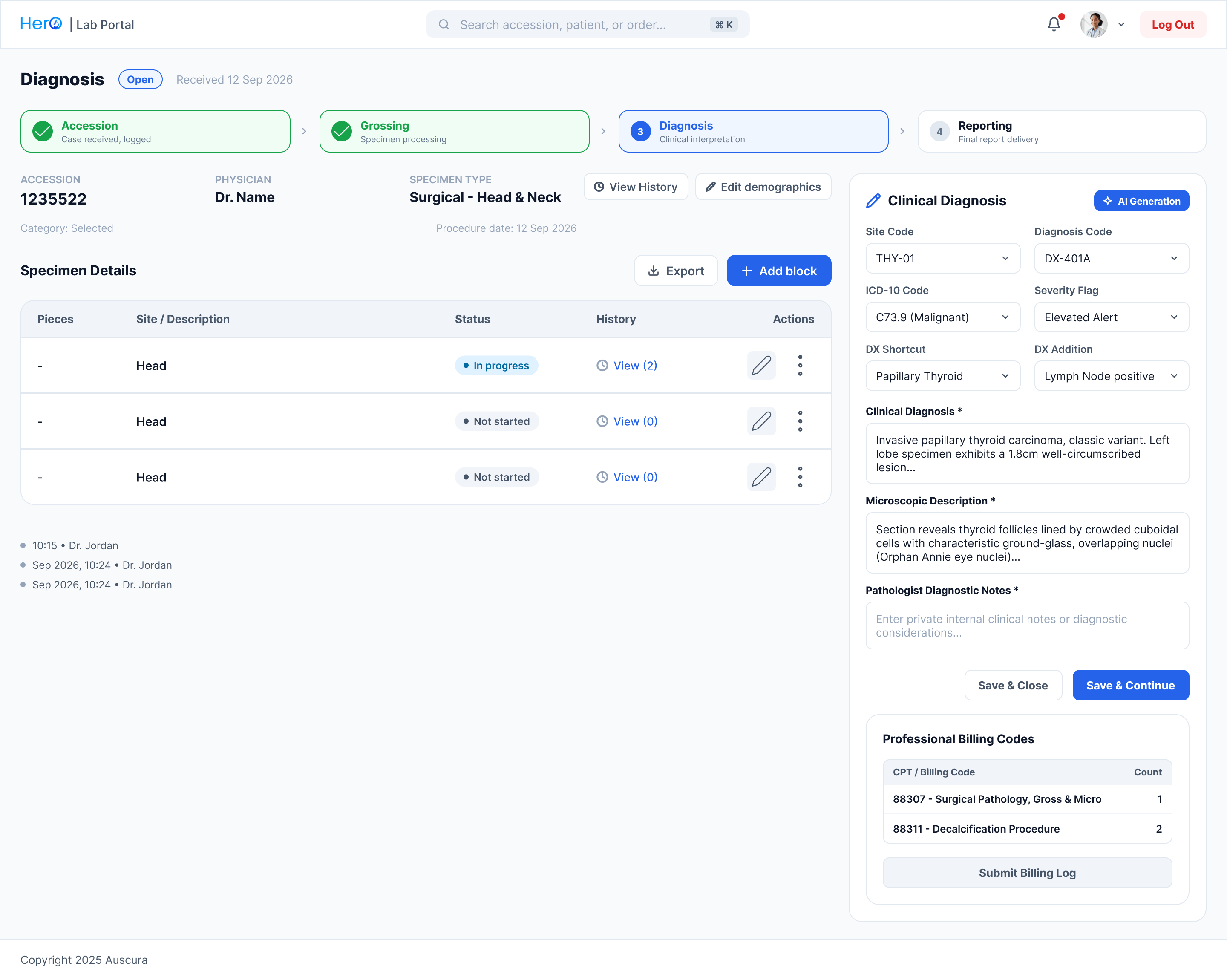
A four-step header sits on every case screen, with finished, current and upcoming stages. Nobody has to wonder what happens next or what has already been signed off.
Start from the queue
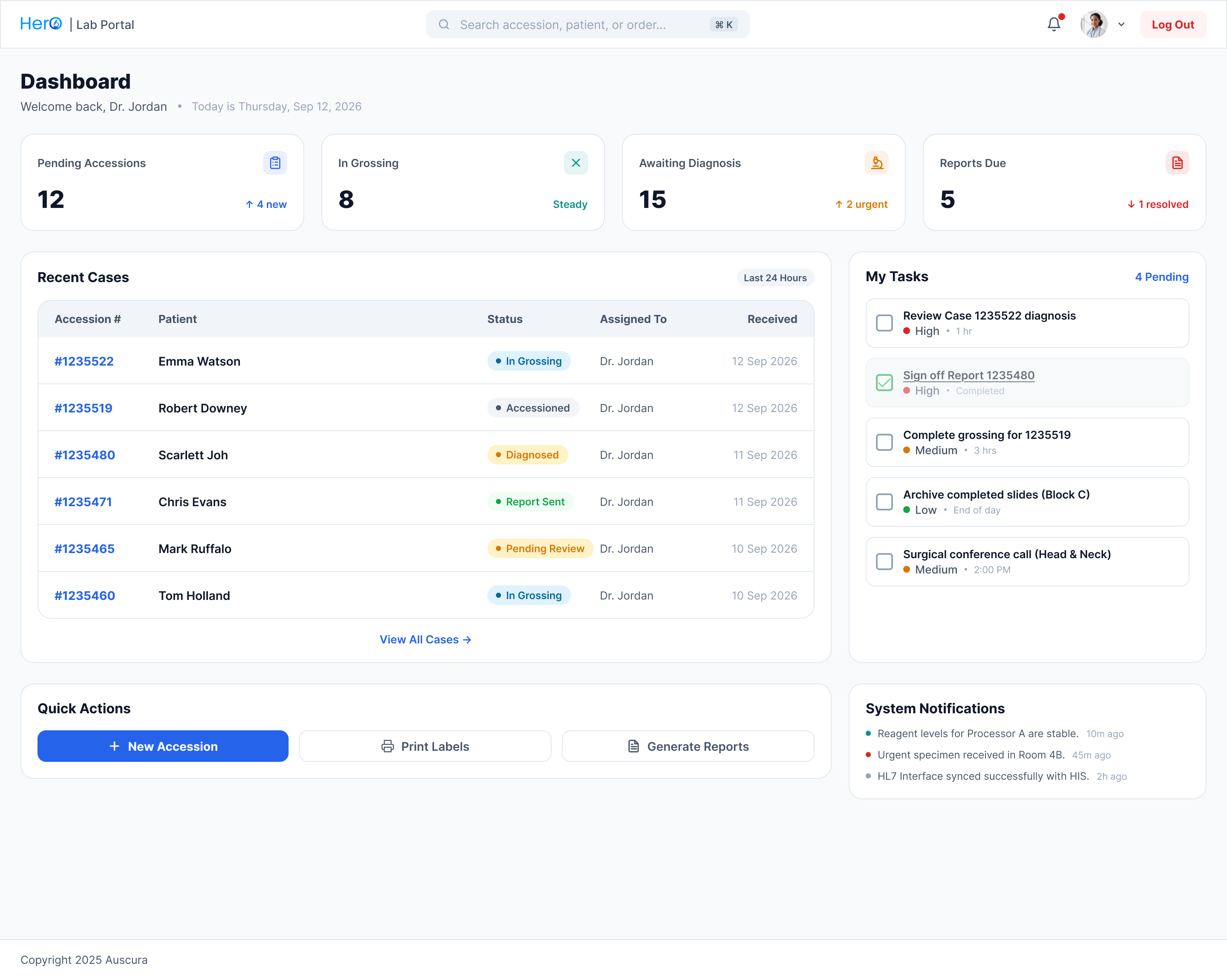
The dashboard opens with four counts: pending accessions, in grossing, awaiting diagnosis and reports due. Below them are the recent cases, the user's own tasks and system notifications.
Structure what can be structured, free text for judgement
Site, diagnosis, ICD-10 and severity use coded dropdowns with shortcuts and additions. The clinical description and the pathologist's private notes stay free text, because that is where judgement lives. A billing panel lists the professional codes with counts and a submit action.
Keep context in modals
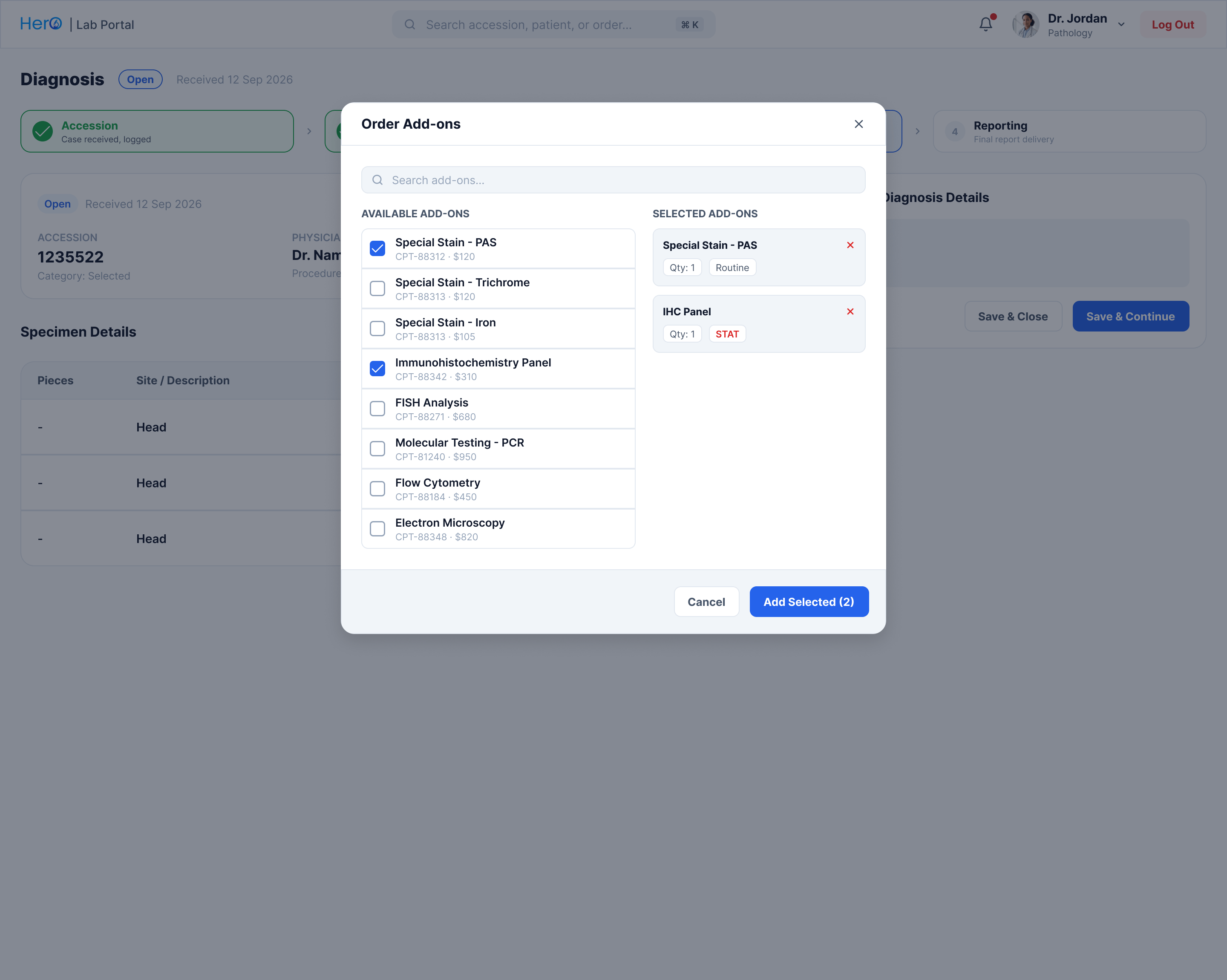
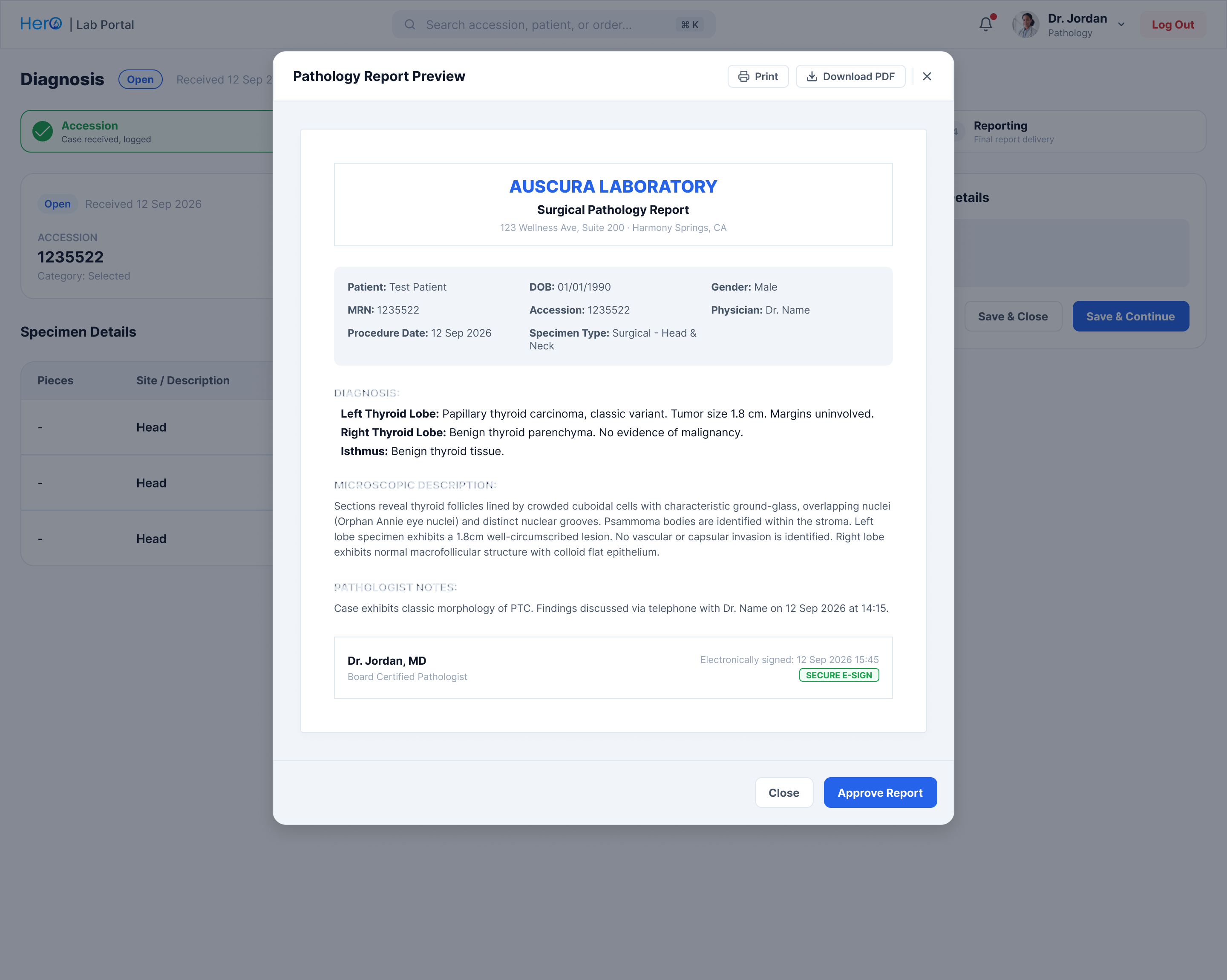
Add-ons, demographics and the report preview open over the case, so staff never lose their place.
Pivoting from batch tables to card workflows
Earlier design explorations tested dense multi-column spreadsheet grids for batch specimen grossing. While compact, lab testing revealed that technicians frequently mismatched cassette numbers when glancing between physical samples and the screen. We pivoted to dedicated specimen cards with explicit visual evidence badges, reducing mislabeling risks.
The AI draft
The diagnosis screen has an AI generation action next to fields the pathologist still has to complete and sign off. The demo above shows the interaction rule I paired with it: the draft is labelled as AI, it lands in the editable field, and the next step stays locked until a person confirms they've reviewed it. The point is that AI saves typing, not responsibility.
Results
- Built and deployed in active clinical laboratory practice, handling daily pathology and biopsy case volume.
- 9 desktop screens: the operational dashboard, orders queue, four case stages, and three contextual modals.
- One consistent stepper, specimen table, and form pattern reused across every stage, cutting onboarding time for lab technicians.
- Structured diagnostic codes cleanly separated from pathologist judgement notes, ensuring accurate medical billing and regulatory compliance.
Watching pathologists use Auscura showed that speed in clinical software comes from predictability, not visual flashiness. When critical specimen counts and revision histories are visible without hunting, clinicians spend less time managing software and more time diagnosing cases.